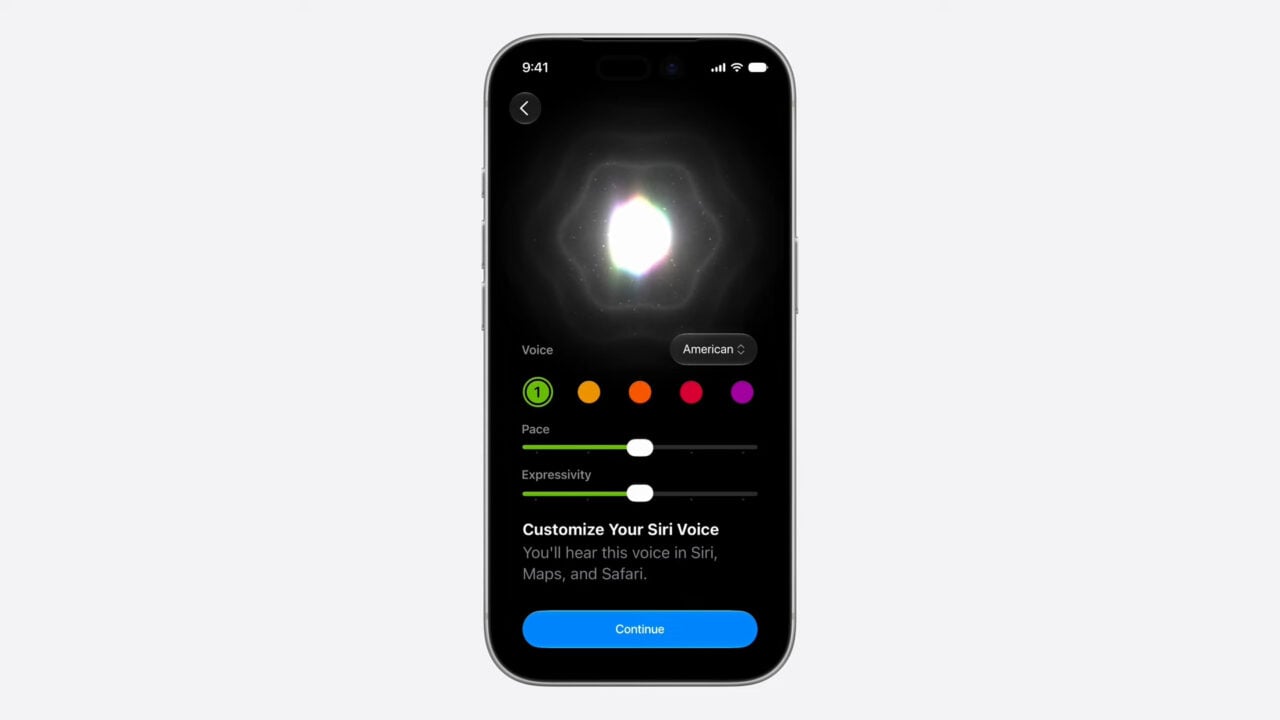
Apple компани хувийн хэрэгцээнд суурилсан, илүү ухаалаг Siri AI-ийн олон нийтийн туршилтын хувилбарыг iOS 27 үйлдлийн системийн хүрээнд танилцууллаа.
Apple-ийн хөгжүүлэгчдийн туршилтын хувилбар өнгөрсөн сард гарсан бол одоо сонирхсон хэрэглэгч бүхэн “Apple Beta Software Program”-д бүртгүүлж, шинэ Siri-г турших боломжтой боллоо. Энэхүү шинэчлэлтийг ашиглахын тулд хэрэглэгчид iPhone 15 Pro болон түүнээс хойших загварын төхөөрөмжтэй байх шаардлагатай. Түүнчлэн Mac, iPad, Apple Watch зэрэг бусад төхөөрөмжид ч туршилтын хувилбарууд нээлттэй байна.
Шинэчлэлтийг суулгахын тулд “Settings” цэсээс “General” болон “Software Updates” хэсэгт хандан “iOS 27 Public Beta”-г сонгох шаардлагатай. Үүний дараа “Apple Intelligence & Siri” тохиргоо руу орж “Try New Siri” хэсгээр дамжуулан хүлээлгийн жагсаалтад бүртгүүлэх хэрэгтэй бөгөөд бүртгэл баталгаажих хүртэл дунджаар хоёр долоо хоног орчим хугацаа зарцуулж болзошгүй байна.
Siri AI-ийг дуут тушаалаар эсвэл тусгай чатбот аппликейшнээр дамжуулан ашиглах боломжтой. Гэвч одоогоор энэхүү үйлчилгээ нь зөвхөн англи хэл дээр ажиллах бөгөөд Европын Холбооны орнуудад ашиглах боломжгүй гэдгийг тус компаниас мэдэгдлээ. Шинэ систем нь хэрэглэгчийн хувийн нөхцөл байдалд тулгуурлан илүү оновчтой хариулт өгөхөөр хөгжүүлэгдсэн байна.
Дэлгэрэнгүйг эх сурвалжаас харах
Эх сурвалжийг нээх ↓
As my colleague Raymond Wong noted earlier today: Apple f*cking did it—Siri AI, the long-delayed Apple AI assistant with “personal context” doesn’t suck—a huge achievement when you consider how much Apple has struggled with Siri suckage over the years. He also noted that if you choose, you can join the public beta of the still technically unreleased iOS 27 and test drive the new Siri yourself.
To spell this out a bit more, no, Siri AI is not going to install itself on your phone while you’re sleeping tonight. You have to jump through some hoops, including installing a beta—meaning still in development, and possibly janky—version of iOS 27. A developer beta came out last month for people with Apple Developer accounts, which isn’t much of a barrier, but now there’s a public beta, so there’s no longer any barrier at all other than your own squeamishness about buggy software.
How to try Siri AI on iPhones
Mashable’s Alex Perry has a pretty useful breakdown of which specific iPhones are compatible with this beta, but the main takeaway is this: you need an iPhone 15 Pro or later for the full Siri AI experience.
And as you can see from the Apple Beta Software Program page, there are also beta updates numbered “27” for your other devices too, including your Mac, iPad, and Apple Watch. You can find out if your non-iPhone device is compatible by clicking around there. The important thing is that that’s also the page where you can enroll in the beta program.
Assuming you’ve now enrolled, open your Settings app; tap General; tap Software Updates; tap Beta Updates, and choose iOS 27 Public Beta. When you first signed up for the beta program, you were presumably steered toward backing up your device, which is optional, but I’m certainly not going to dissuade you from doing that before you install a whole new operating system.
Once you’ve updated to iOS 27 Beta, you’ll notice you still have old Siri. Now you have to join a waitlist to get Siri AI, and judging from Reddit posts during the developer beta, this part seems like it’s been taking almost two weeks. To get on the waitlist go to Settings; tap Apple Intelligence & Siri; and tap Try New Siri. You’ll get a push notification when your number is called.
If you’re in the E.U., Siri AI is not going to be available. It’s also currently only available in English, according to TechCrunch.
If you haven’t been an avid Siri user before, how one triggers Siri may have slipped your mind—or maybe you only know how to bring it up by accident. To refresh your memory, there are options in Settings>Apple Intelligence & Siri. You can now trigger it by saying either “Hey Siri” or just “Siri.” If you’re still not ready to be that person, you can choose the Press Side Button for Siri option. Siri AI also has a dedicated app that works like any AI chatbot, so you don’t actually have to use your voice at all.