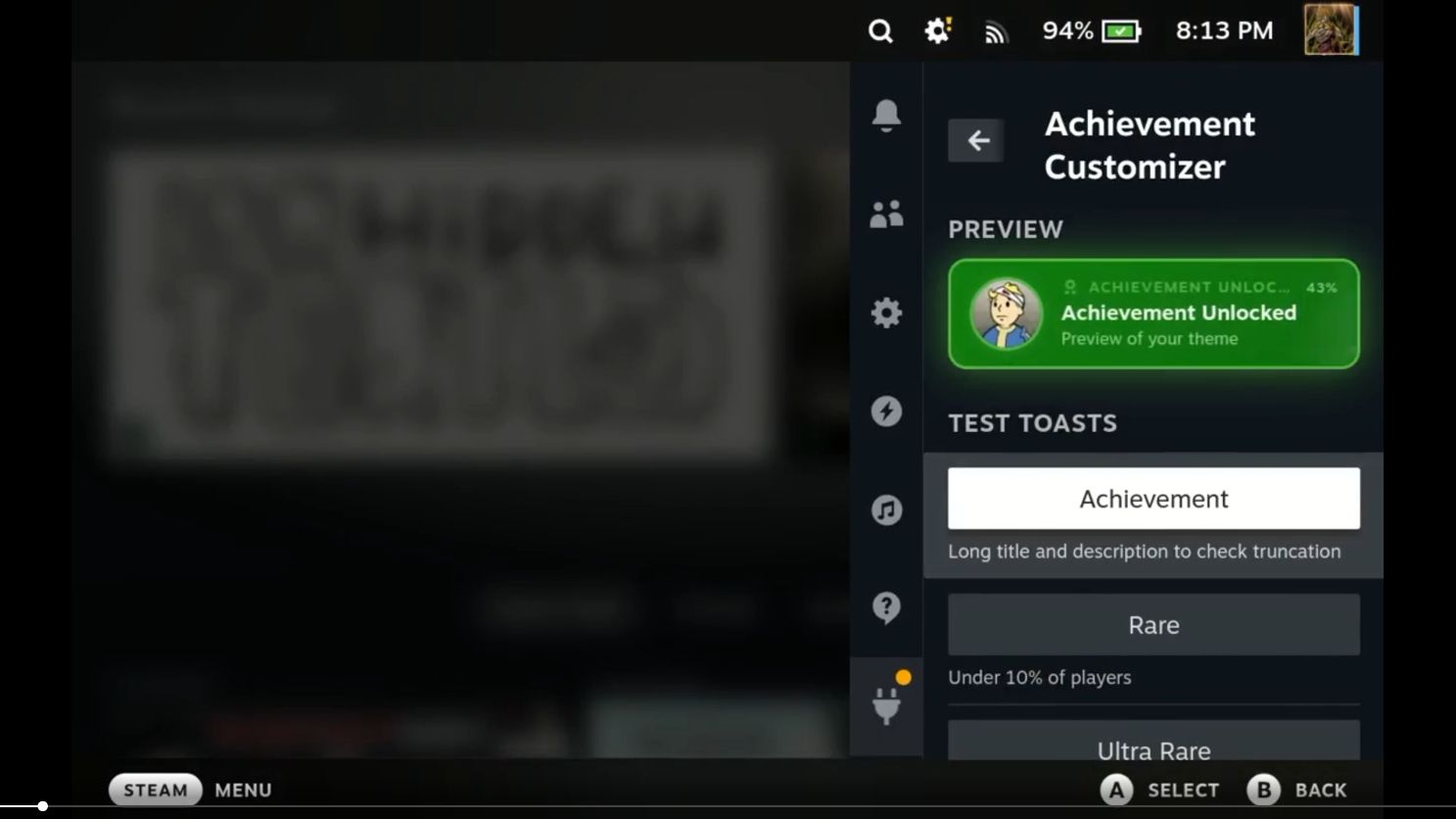
Шинэ Decky плагин ашиглан Steam Deck дээрх амжилтын мэдэгдлийн харагдацыг PlayStation, Xbox эсвэл Nintendo платформын хэв маягт нийцүүлэн тохируулах боломжтой болжээ.
I wasn’t a fan of how Steam’s achievement pop-ups looked on the Steam Deck, so I changed them. I made a Decky-Plugin that provides the gamer, to design their ideal achievement pop-up look with some added themes.
fromr/SteamDeck
Steam Deck хэрэглэгчид өөрийн төхөөрөмж дээрх амжилтын мэдэгдлийн (achievement pop-up) харагдацыг бүрэн өөрчлөх боломжтой “Achievement Customizer” хэмээх шинэ Decky плагиныг ашиглах боломжтой боллоо. Энэхүү хэрэгсэл нь зөвхөн бусад тоглоомын платформуудын загварыг дуурайх төдийгүй, хэрэглэгчийн хүссэнээр харагдацыг өөрчлөх өргөн боломжийг олгодог. Decky плагин учраас энэ нь SteamOS-тэй төстэй Linux орчин, тухайлбал Bazzite систем дээр ч ажиллах боломжтой юм.
Одоогоор уг плагин нь Decky дэлгүүрт ороогүй байгаа тул хэрэглэгчид төхөөрөмжөө “Developer Mode”-д шилжүүлэн заасан холбоосоор дамжуулан гараар суулгах шаардлагатай. Хөгжүүлэгчийн зүгээс уг плагины пиксель арт зураг болон загваруудыг өөрөө гараар зурж бүтээсэн бөгөөд хөгжүүлэлтийн явцад хиймэл оюун ухааны код бичих хэрэгслүүдийг ашиглажээ.
Уг плагины эх код нь GitHub дээр нээлттэй эх сурвалж хэлбэрээр байршсан тул сонирхсон хэрэглэгчид кодын аюулгүй байдлыг шалгах боломжтой. Түүнчлэн хөгжүүлэгч нь ирээдүйд энэхүү плагиныг Steam Machine төхөөрөмжтэй нийцтэй болгох боломжийг судалж үзэхээ илэрхийлсэн байна.
Дэлгэрэнгүйг эх сурвалжаас харах
↓Эх сурвалжийг нээх ↓
I wasn’t a fan of how Steam’s achievement pop-ups looked on the Steam Deck, so I changed them. I made a Decky-Plugin that provides the gamer, to design their ideal achievement pop-up look with some added themes.
fromr/SteamDeck
Here’s one for all you achievement addicts out there; you can now customise your Steam Deck achievement pop ups to match your PlayStation, Nintendo, or Xbox pop-ups. Yes, you can now unify that little achievement endorphin rush across your gaming platforms thanks to a new Decky plugin for your wee SteamOS handheld.
Actually it’s a bit wider than that, because you’re not locked into imitating the achievement pop-ups of existing platforms, you can customise the pop-ups however you want via this Achievement Customizer. And, as a Decky plugin, it should also work on any SteamOS-like Linux environment, such as Bazzite.
In the Reddit thread, the creator notes that they could also try to make it compatible with the Steam Machine, too. For the dozens of people actually gaming on those micro machines.
Though it’s not in the Decky store as yet, the creator has detailed how to get it installed on your device using Developer Mode and it’s all very straightforward. Put Decky into the Developer Mode and then install the plugin from the listed URL. Easy.
The creator of the plugin says they hand-drew the pixel art used in the customiser, and they designed the themes themselves, but they have used AI coding tools during the actual development of the of the plugin. That code is open source on Github for anyone to take a look through, if they’re concerned about what they might be jamming onto their handheld.
I will admit that I don’t totally understand the whole thing with achievements. I don’t think there’s been a game made that I felt I needed to 100% the whole thing, but I do understand that achievement hunting is almost a thing unto itself. And if you’re going to get even more of a boost from tailoring that little achievement ping exactly how you want, then all power to you, my friend.