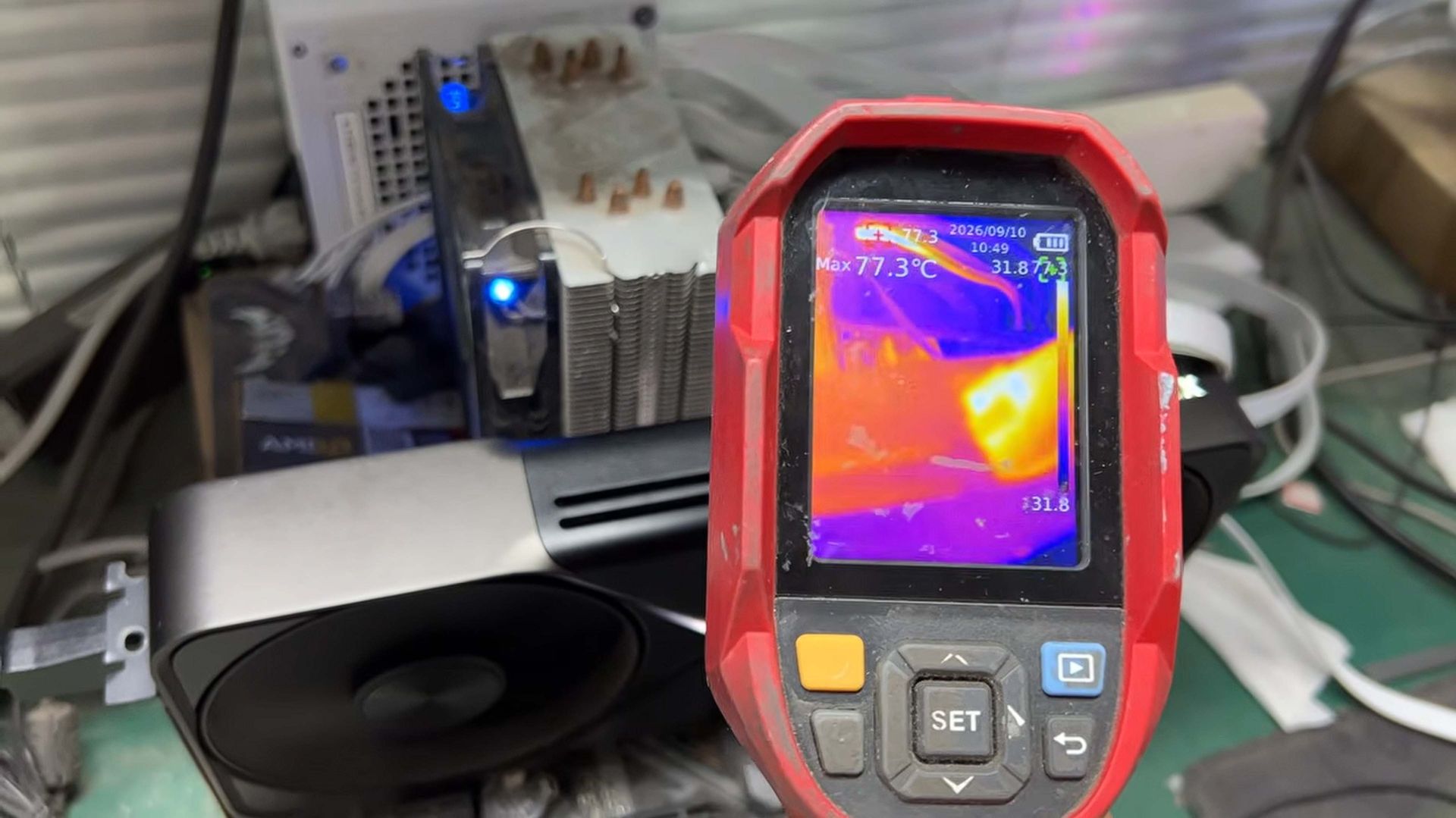
Хятадын засварын төвд сүүлийн хоёр хоногийн дотор 12+4-pin тэжээлийн кабель нь хайлсан долоон ширхэг NVIDIA GPU иржээ.
YouTube-ийн “Zhang the Computer Repairman” сувгийн мэдээлснээр, RTX 5090 болон RTX 4090 загварын график картуудын тэжээлийн холбогч хэсэгт түлэгдэлт үүссэн тохиолдлууд эрс нэмэгдсэн байна. Засварт ирсэн картуудын дунд Asus, MSI, Gainward брэндүүд болон Founders Edition загварууд багтаж байгаа бөгөөд ихэнх тохиолдолд 12+4-pin холбогч нь залгууртайгаа хайлж наалдсан байдалтай байна.
Засварчин Жан уг асуудлыг шийдвэрлэхийн тулд холбогчийг сольж, контактуудыг цэвэрлэх шаардлагатай болдог байна. Засварын дараа 3DMark тестээр шалгахад картууд хэвийн ажиллаж байгаа ч тэжээлийн кабель болон холбогч хэсэг халах үзэгдэл ажиглагдсаар байна. Энэхүү асуудал нь зөвхөн тодорхой нэг үйлдвэрлэгч эсвэл сул хүчин чадалтай тэжээлийн блоктой холбоогүй болохыг тэрээр онцолжээ.
Хэрэглэгчдэд GPU-Z программыг ашиглан 12+4-pin холбогчийн хүчдэлийг хянахыг зөвлөж байна. Хэрэв хүчдэлийн үзүүлэлт 12V-оос доош буюу 11.3V эсвэл 11.4V орчимд хэлбэлзэж байвал асуудал үүсэж болзошгүй тул холбогчийн температурыг гар хүрэх замаар шалгах нь чухал юм. График картын өндөр эрчим хүчний хэрэглээ нь холбогчдыг хайлуулах үндсэн шалтгаан болж байгаа тул ийм төрлийн GPU ашигладаг тоглогчид төхөөрөмжөө тогтмол хянаж байхыг сануулж байна.
Дэлгэрэнгүйг эх сурвалжаас харах
↓Эх сурвалжийг нээх ↓
YouTube channel, 修电脑的张哥, roughly translated to Zhang the Computer Repairman, has posted a video this morning because of the sheer volume of Nvidia GPUs they have had sent in for repair in just the past two days alone. And they’re all because of burnt interfaces between the 12+4-pin power cable and the card itself.
Seven cards in total have come in for repair (via Uniko’s Hardware), mostly RTX 5090 cards, along with Asus and MSI RTX 4090. They all come from various manufacturers; as well as Asus and MSI there is also a Gainward card in the mix as well as a Founders Edition RTX 5090, too.
You can see in the video that either the socket interface is burned, sometimes blackening the PCB, or the 12+4-pin power connector itself has melted into the socket and the user has had to snip the cable off in order to be able to send the card in for testing.
Zhang makes the necessary repairs to each of the cards—removing the interface, cleaning the contacts, and soldering on a new 12+4-pin socket—and then goes ahead and tests each one of them. With the new sockets in place, the repaired cards are back in action and while the GPUs run through some 3DMark benchmarks he checks the temperatures on the cards and the cables.
Some still run a little hot, with the cables at the PSU also running pretty toasty, but nothing particularly worrying at this point.
But still the fact remains that this is a really high volume of cards coming into a single repairshop, all presenting the same symptoms and all from different manufacturers, too. He does also note the users are not necessarily running weak PSUs, and some are even from lab computers (though these might also get hammered more than a card someone is using to game on at home).
It might be that it’s a very popular repair channel on BiliBili and YouTube, so potentially he might get sent more than other shops, but it’s obvsiously still an issue. It feels like, on a long enough timeline, a whole lot of RTX graphics cards using a 12+4-pin connector are going to suffer from this problem.
One thing Zhang does note is that during use, if you touch the back of your finger against the power cable, maybe an inch or so above the GPU connector, you should feel it being a little warm. But if it’s notably too hot to touch then there’s likely an issue.
Likewise he suggests keeping an eye on the power draw via GPU-Z, and particularly the 12+4-pin voltage readout. With failing cards, he notes that if the 12+4-pin voltage drops well below 12 V—to 11.3 or 11.4—then there is likely an issue and you should check the temperature by hand at that point.
What’s clear though is this issue isn’t going away, isn’t purely down to dodgy vendor adaptors or old PSUs, or even miss-aligned cables. The amount of power being drawn by these beefy cards is melting cables and connectors, and if you have one of these GPUs it’s worth monitoring it on the regular.
That said, if you want a little more peace of mind, there are new gadgets that can offer some. If not complete protection, then some forewarning of an issue before it becomes a melty mess. Such as this new OCP dongle from Super Flower.