Технологийн аварга компани хэрэглэгчдийн ая тухыг нэмэгдүүлэх, хиймэл оюун ухааны боломжийг ашиглах зорилготой шинэчлэлтүүдийг мягмар гарагт зарлалаа.
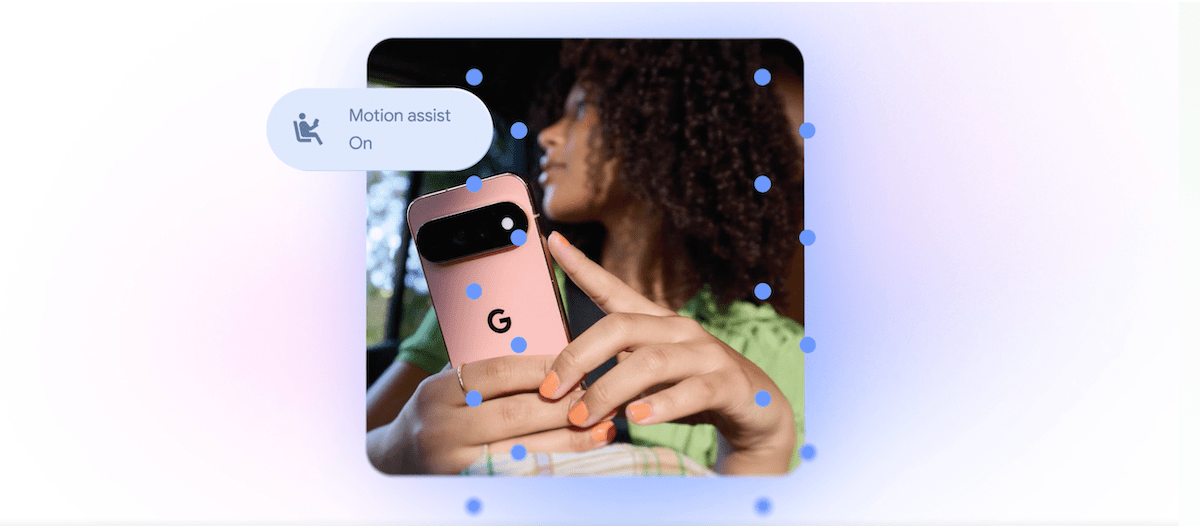
Google компани хөдөлгөөнт тээврийн хэрэгсэлд зорчиж байх үед илэрдэг дотор муухайрах шинж тэмдгийг бууруулах зориулалттай “Motion Assist” функцийг нэвтрүүлж байна. Энэхүү шийдэл нь дэлгэц дээр хөдөлгөөнт дүрс бүхий бөмбөлөг үүсгэж, хэрэглэгчийн мэдрэх хөдөлгөөн болон дэлгэцийн харагдацыг уялдуулах зарчмаар ажилладаг бөгөөд Android 17 үйлдлийн системд ашиглах боломжтой. Мөн харааны бэрхшээлтэй иргэдэд зориулсан “Guided Vision” функц нь Gemini хиймэл оюун ухааныг ашиглан камерт буусан обьект эсвэл бичвэрийг таньж, дуут дохиогоор чиглүүлэг өгөх юм. Уг функц нь Android 9 болон түүнээс хойших хувилбартай утаснуудад дэмжигдэх аж.
Gemini хиймэл оюун ухаан нь хэрэглэгчдэд чухал зүйлсээ хаана хадгалснаа санах боломжийг олгох “Find Hub” хэсэгтэй болж байна. Хэрэглэгч тухайн эд зүйлийн байршлыг дуут болон бичгэн хэлбэрээр тэмдэглэн үлдээж, шаардлагатай бол зураг хавсарган хадгалах боломжтой болжээ.
Үүнээс гадна Google Messages аппликейшн нь Google Keep-тэй нэгдсэнээр хэрэглэгчид худалдан авалтын жагсаалт, тэмдэглэлээ чатын цонх дотор шууд хуваалцах, засах боломжтой боллоо. Мөн тус аппликейшнд чатын дэвсгэр зураг, өнгө болон текстний бөмбөлгийг өөрчлөх зэрэг хувийн тохиргооны шинэ сонголтууд нэмэгдэв.
Дэлгэрэнгүйг эх сурвалжаас харах
↓Эх сурвалжийг нээх ↓
On Tuesday, Google announced it’s rolling out five new updates designed to make Android phones more accessible, useful, and personalized. Announced in a blog post on Tuesday, the features include those aimed at reducing motion sickness, helping blind and low-vision users navigate their surroundings, remembering where users leave important items, and another that adds new ways to personalize Google Messages.
While some of the features see Google playing catch-up to Apple, which already offers similar features for iPhone users, others specifically leverage Gemini to provide various improvements.
The most interesting update is “Motion Assist,” a feature designed to help people who experience motion sickness while using their phones in a moving vehicle. It adds a bubble overlay to the screen that moves in response to the vehicle’s motion, helping reduce the disconnect between what users see on their screens and what their bodies feel.
The concept isn’t entirely new, however. Apple introduced “Vehicle Motion Cues” in 2024, which uses animated dots around the edges of the display that move in response to a vehicle’s motion.
Users can set “Motion Assist” to turn on automatically, add it to Quick Settings, and customize the bubble’s shape, color, and transparency. Google says this feature is available to Android 17 users.
Google is also introducing “Guided Vision,” a feature designed with blind and low-vision users in mind. It combines the phone’s camera with Gemini to help with tasks such as reading small print on a food label, viewing a menu in a dark restaurant, or identifying objects around the house.
The feature can also provide voice guidance when the camera isn’t positioned correctly, telling users to move the phone, pan around, or center an object. Guided Vision is coming to phones running Android 9 and newer in countries where Gemini is available.

Another update gives Gemini a new way to help users remember where they put important items. A “remembered items” section in Find Hub will allow users to tell Gemini where they’ve stored something. For example, a user could say they put their passport in a bedroom drawer, and Gemini can save that information in Find Hub. Users can also attach a photo to make the item easier to identify later.
Additionally, Google is adding a Google Keep integration to Google Messages, allowing people to share and edit grocery lists, vacation notes, and other information directly within a conversation.

Plus, Google Messages is getting more personalization options. Users will be able to customize individual chats with backgrounds, photos, and colors, Google says. The text bubbles will automatically match.
Apple added a similar custom background feature to Messages last year.
When you purchase through links in our articles, we may earn a small commission. This doesn’t affect our editorial independence.